# Getting Started

{% hint style="info" %}
Please ensure you've read through the entirety of the[ **Public Alpha Disclaimer**](https://zeebit.gitbook.io/zeebit.io/basics/public-alpha-disclaimer) section before continuing on.
{% endhint %}

***

## **Select a Network & Connect your wallet**

Zeebit alpha is live on two different networks: **Solana** and **Sonic**.

{% hint style="info" %}
You will need funds on your network of choice.
{% endhint %}

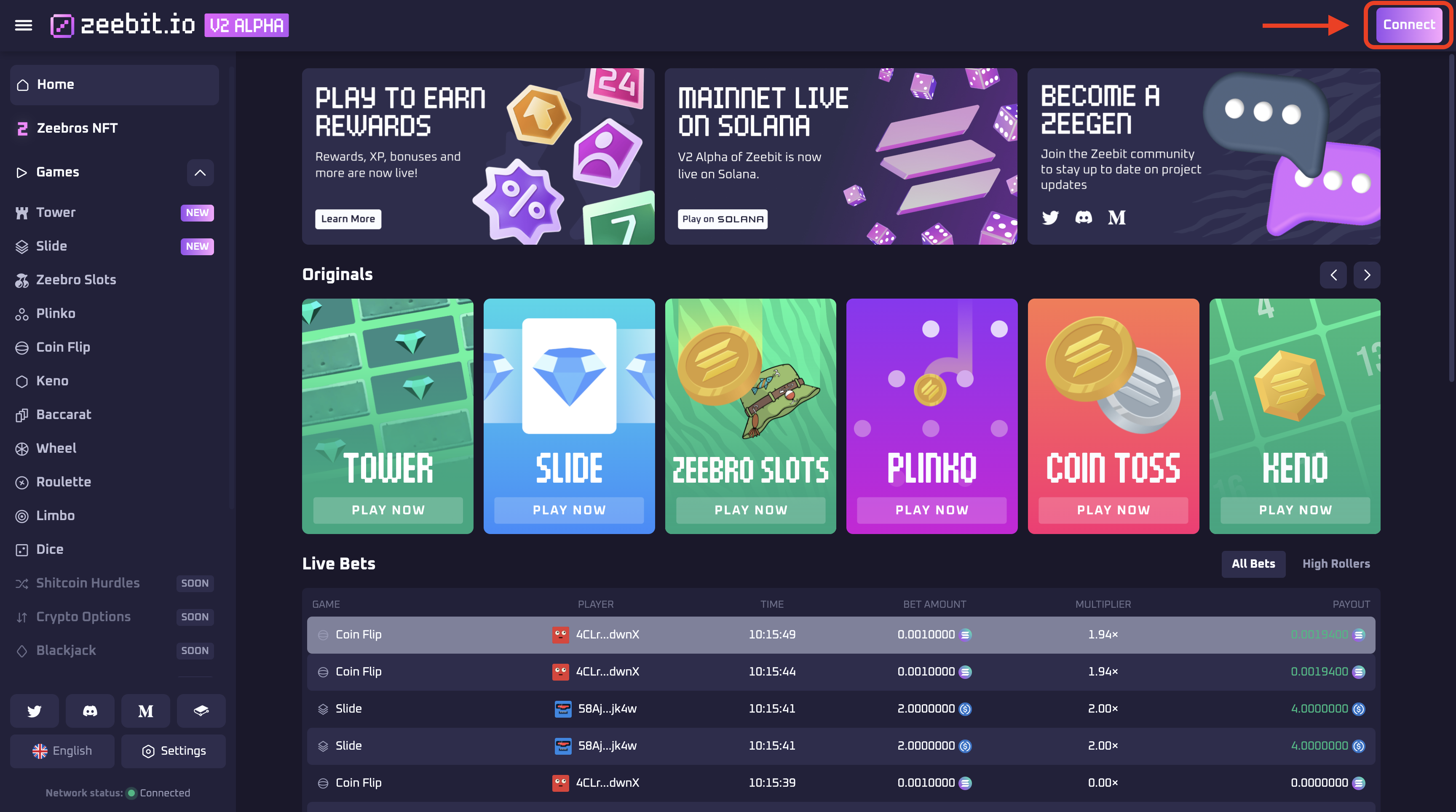
To choose your network, navigate to the "Connect" button at the top right hand corner of the screen.

<figure><img src="https://2821097313-files.gitbook.io/~/files/v0/b/gitbook-x-prod.appspot.com/o/spaces%2FV9eYnfLupGNvjJoiXuma%2Fuploads%2Fm9fgpIh6DXAVfPdUUj8z%2Fimage.png?alt=media&#x26;token=77d51cf8-9de0-4054-96de-8af99253d386" alt=""><figcaption></figcaption></figure>

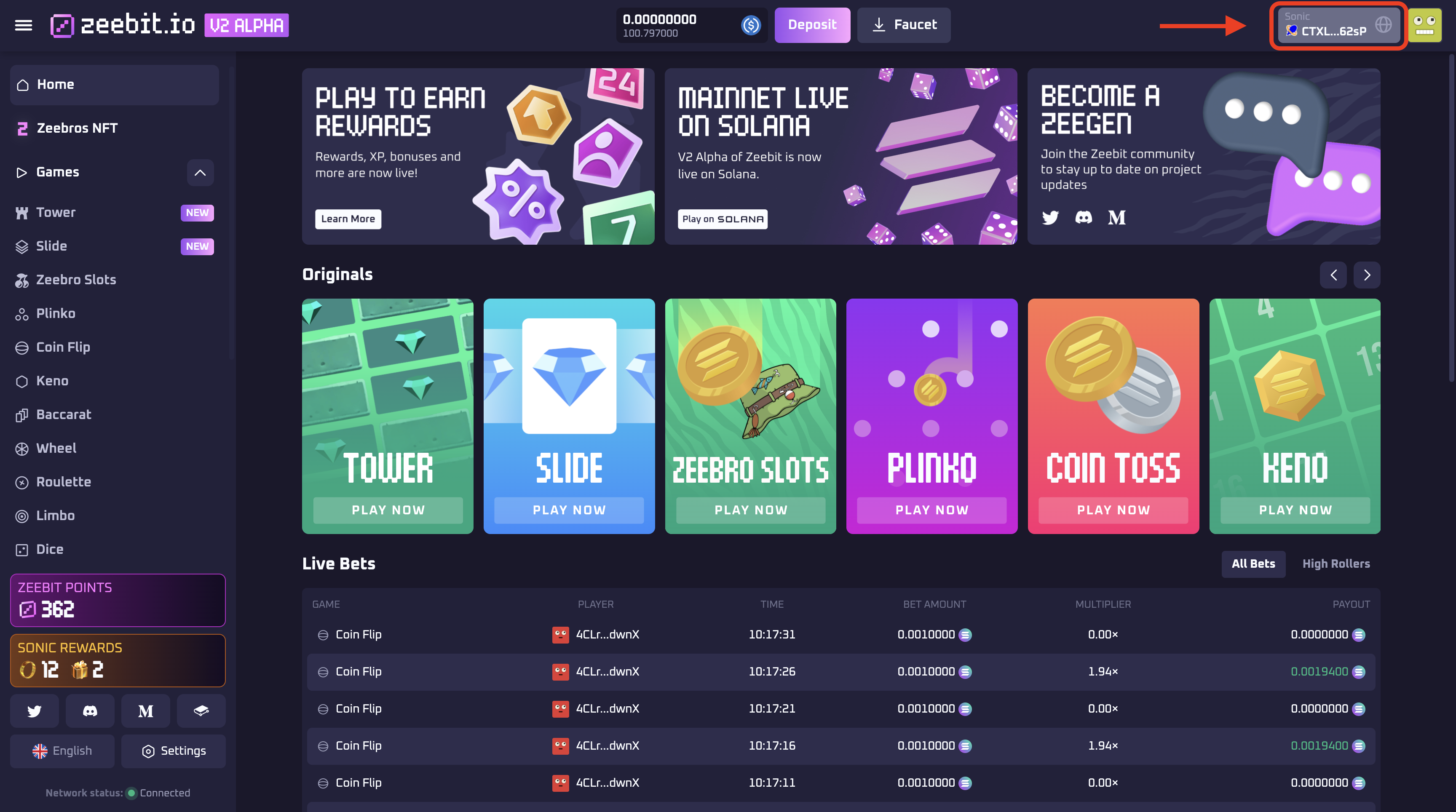
&#x20;If you are already connected, click on the wallet button.

<figure><img src="https://2821097313-files.gitbook.io/~/files/v0/b/gitbook-x-prod.appspot.com/o/spaces%2FV9eYnfLupGNvjJoiXuma%2Fuploads%2FWMRNFl6RbPuQooD1I3MR%2Fimage.png?alt=media&#x26;token=340af0e6-5689-4370-b5ac-989a74bfd0c4" alt=""><figcaption></figcaption></figure>

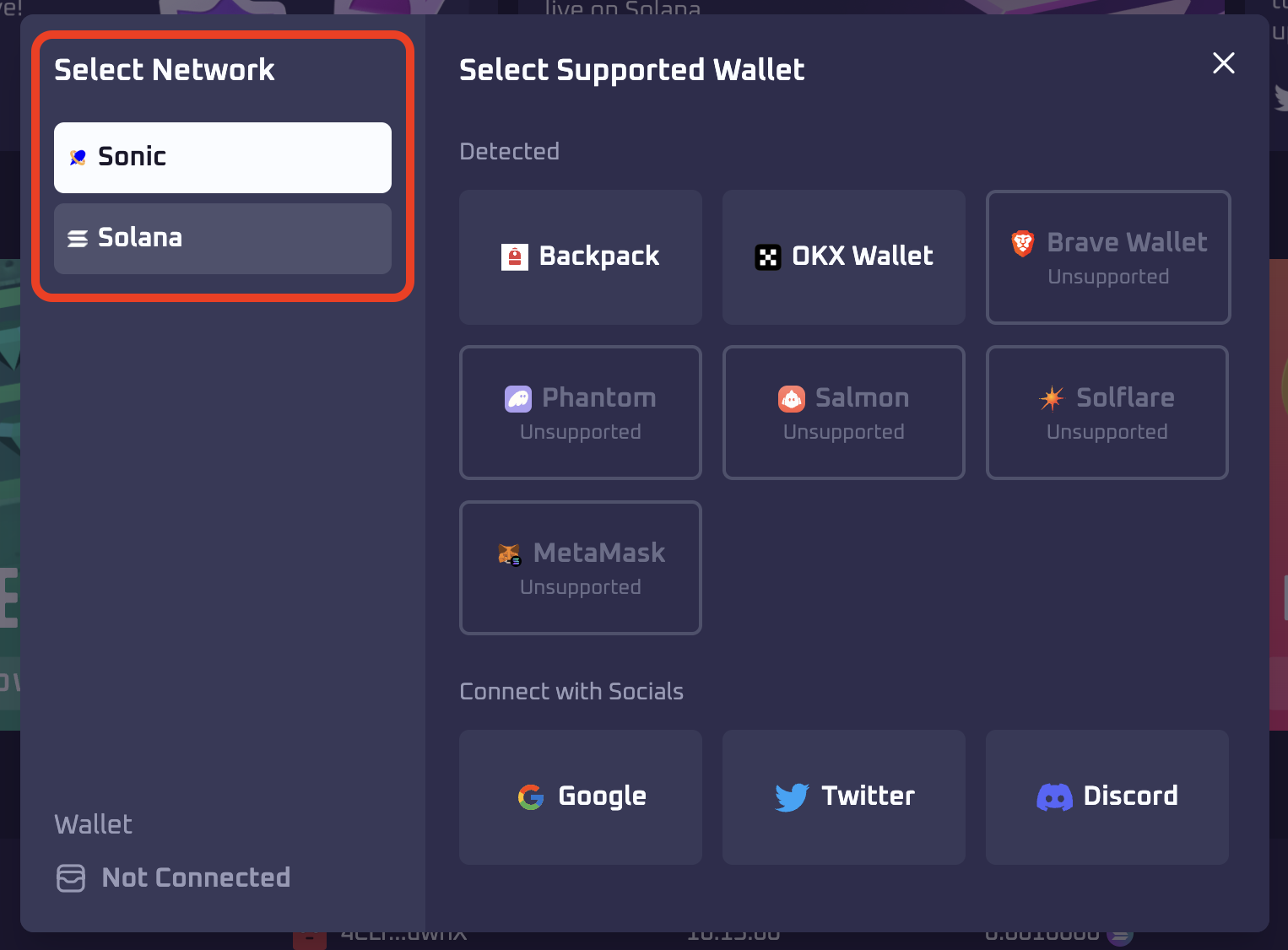
This will open a modal. On the left hand column you can toggle between supported networks.&#x20;

<figure><img src="https://2821097313-files.gitbook.io/~/files/v0/b/gitbook-x-prod.appspot.com/o/spaces%2FV9eYnfLupGNvjJoiXuma%2Fuploads%2FnKVsdPuqvcAA1ay218uG%2Fimage.png?alt=media&#x26;token=7a1937fb-633a-46b7-9939-cdd2119bc6e9" alt=""><figcaption></figcaption></figure>

Some wallets do not support Sonic. You can see the list of [supported wallets ](https://zeebit.gitbook.io/zeebit.io/basics/getting-started/supported-wallets)here.

***

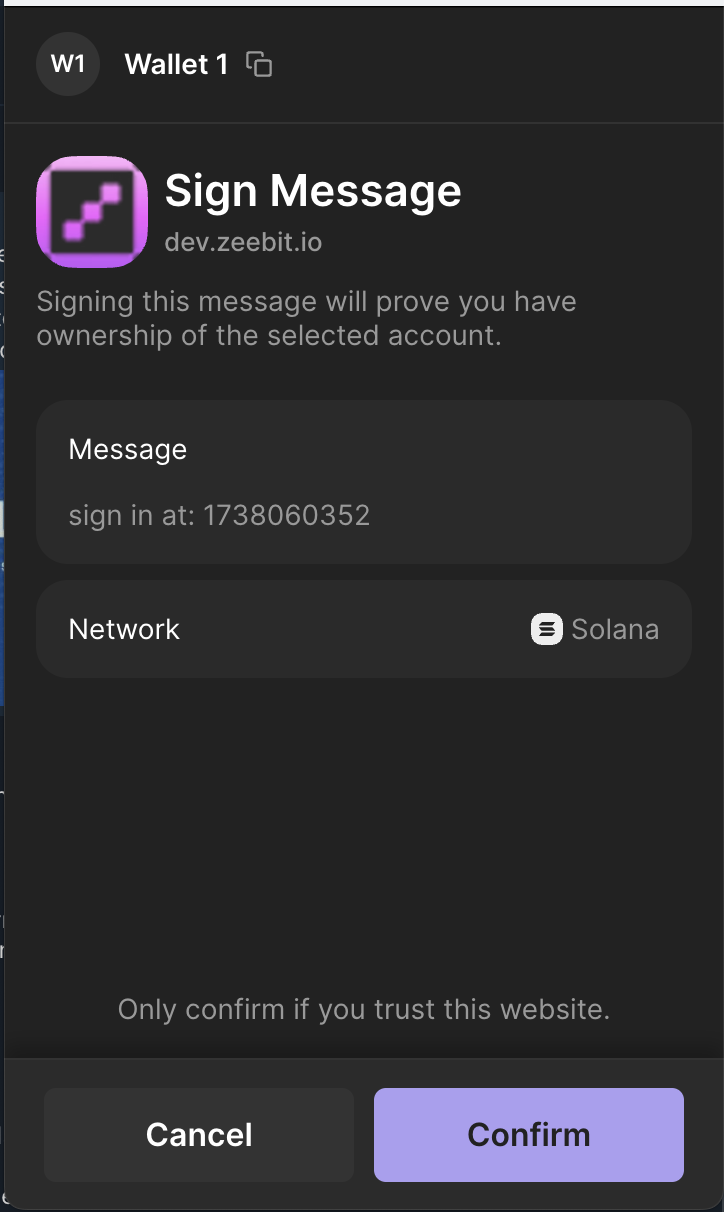
You will be asked to sign a message (not a transaction, don't worry!) to authenticate your wallet. The sceen may differ depending on which wallet you are using.

<figure><img src="https://2821097313-files.gitbook.io/~/files/v0/b/gitbook-x-prod.appspot.com/o/spaces%2FV9eYnfLupGNvjJoiXuma%2Fuploads%2FksuKUF36QZ7mOQ5bOEgH%2Fimage.png?alt=media&#x26;token=811bab09-6895-43a1-9df0-c17d5d46fad1" alt="" width="362"><figcaption></figcaption></figure>

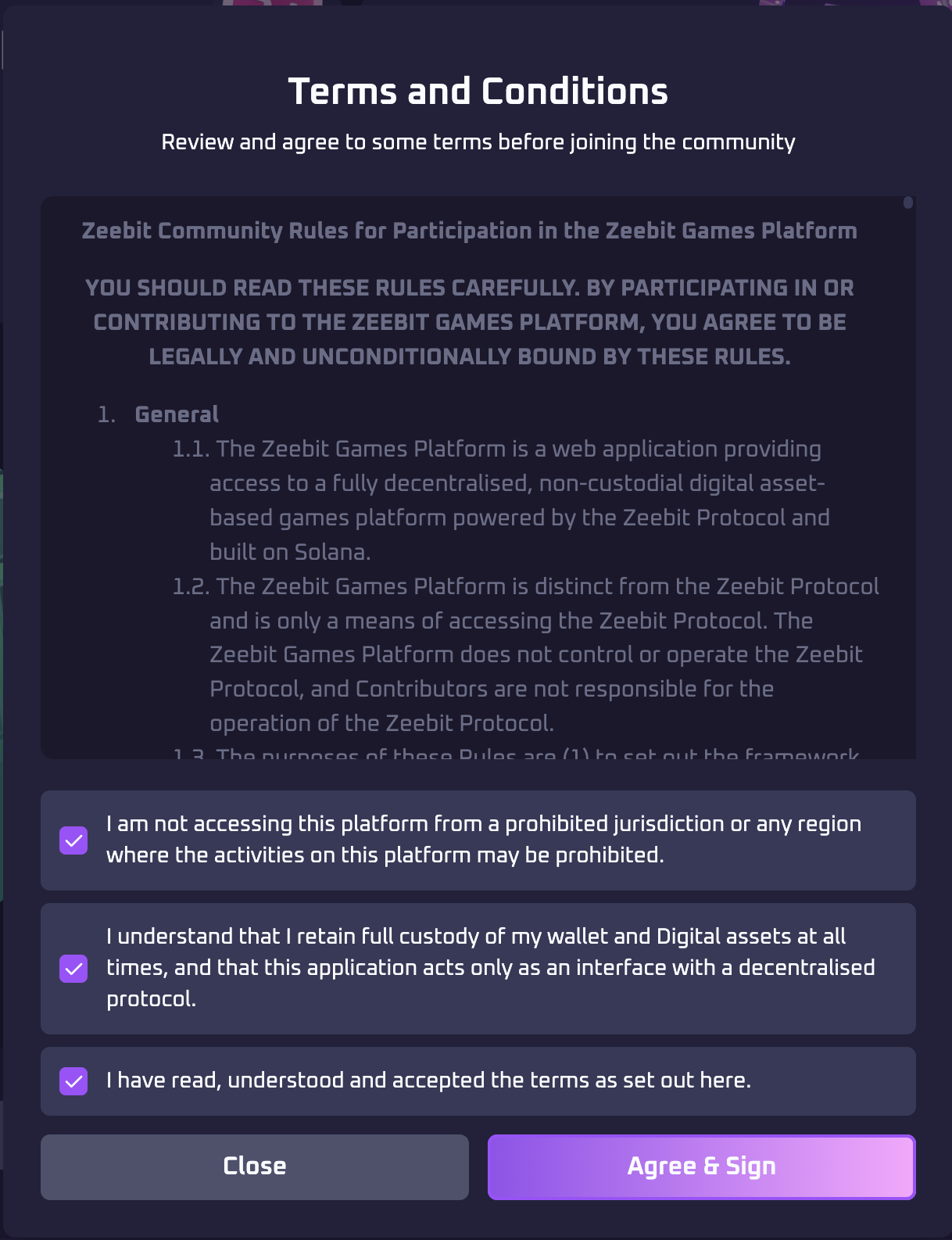
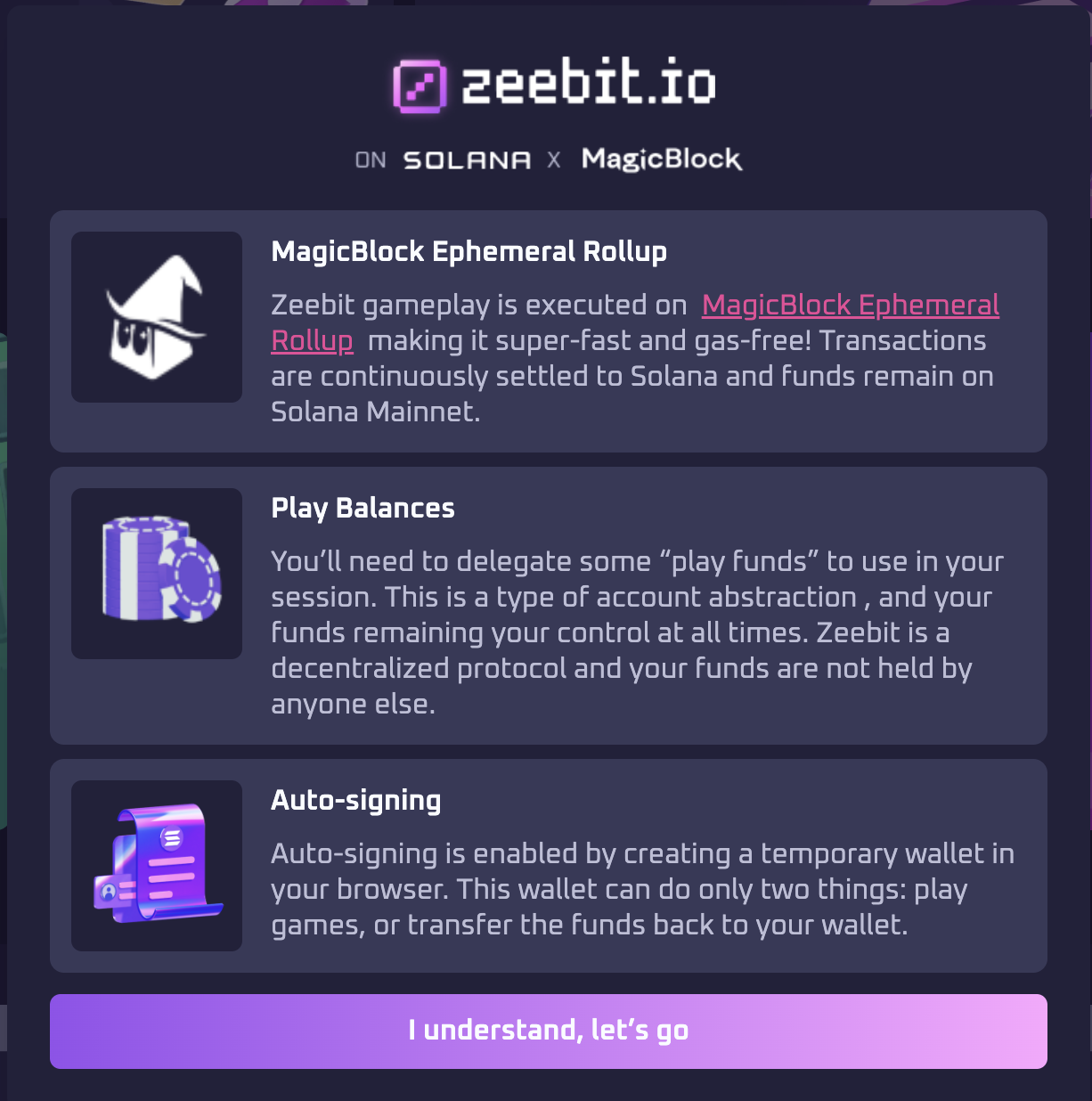
If it's your first time on the platform, you will be asked to read some information and confirm your understanding — including accepting the terms of use of the platform and protocol.<br>

<div><figure><img src="https://2821097313-files.gitbook.io/~/files/v0/b/gitbook-x-prod.appspot.com/o/spaces%2FV9eYnfLupGNvjJoiXuma%2Fuploads%2FAvl3uDDKdofeQhdNBVGr%2FScreenshot%202025-01-28%20at%2010.34.22.png?alt=media&#x26;token=e4f66bf6-381d-4c96-bf55-4dd77a5c8d03" alt=""><figcaption></figcaption></figure> <figure><img src="https://2821097313-files.gitbook.io/~/files/v0/b/gitbook-x-prod.appspot.com/o/spaces%2FV9eYnfLupGNvjJoiXuma%2Fuploads%2Fodrtr5fL2qvjWiLGbaSU%2FScreenshot%202025-01-28%20at%2010.34.14.png?alt=media&#x26;token=9b50773c-6824-4c45-98d7-582cefde628a" alt=""><figcaption></figcaption></figure></div>


---

# Agent Instructions: Querying This Documentation

If you need additional information that is not directly available in this page, you can query the documentation dynamically by asking a question.

Perform an HTTP GET request on the current page URL with the `ask` query parameter:

```
GET https://zeebit.gitbook.io/zeebit.io/basics/getting-started.md?ask=<question>
```

The question should be specific, self-contained, and written in natural language.
The response will contain a direct answer to the question and relevant excerpts and sources from the documentation.

Use this mechanism when the answer is not explicitly present in the current page, you need clarification or additional context, or you want to retrieve related documentation sections.